
Call Manager is a simple control panel for Microsoft Teams Phone. A setup wizard takes customers from delivered numbers to a working phone system, and you manage every customer from one dashboard without Teams admin rights.
Free 30-day proof of concept for service providers.
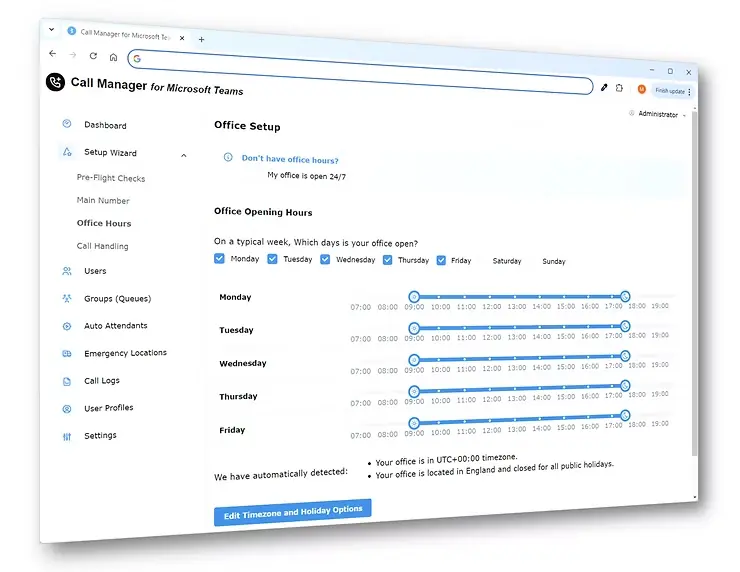
Call Manager is a portal for setting up and running Microsoft Teams Phone without the Teams admin center. It turns the dozens of Teams Phone settings into a short wizard and a PBX-style control panel: main number, auto attendant, users, groups, emergency calling and call reports. You switch it on per customer in the TeamMate partner portal, and it carries your brand.
Assign the main number, build the auto attendant, add users and groups, and set emergency calling in a few guided steps.
Day-to-day changes, such as adding a user, moving a number or editing a greeting, take seconds, with no IT ticket.
Search and review call activity, with diagnostics for the calls that need a closer look.
A summary of the phone system’s status, with anything that needs attention highlighted.
Operator Connect, Direct Routing and Calling Plan numbers, managed together.
The customer adds extra portal users without giving anyone Teams admin rights.
Customers grant phone-only access, so your support team can click into any customer’s setup in seconds, without their Microsoft credentials.
Support every customer from one place, with skills your team already has from traditional phone systems.
The portal carries your name. Sell setup, support and changes as a monthly service on top of the numbers.
Enable Call Manager for the customer in the TeamMate partner portal.
The customer’s admin gets an email invite, signs in with Microsoft and grants phone-only consent.
Numbers, auto attendant, users and emergency calling are set up, and the dashboard takes over from there.
Once numbers land in the tenant, Call Manager completes the company-wide setup. Pairs with Operator Connect Express.
Manage Direct Routing users and numbers alongside everything else. Pairs with SIP Trunk Connector.
Customers’ existing Microsoft numbers stay in the same view.
The provisioning experience of Operator Connect, available without a certification program.
Learn more →VoiceAutomated build and management of Direct Routing, including users, settings and call paths.
Learn more →VoiceConversational call answering and routing inside Teams Phone.
Learn more →VoiceCompliance recording for calls and meetings, including a payment (PCI) pause and resume.
Learn more →For phone tasks, yes. Setup and daily changes happen in Call Manager. The Teams admin center remains for everything else in Microsoft 365.
The customer’s admin grants consent with phone-only scope. Call Manager can view and change Teams Phone settings and nothing else.
Operator Connect, Direct Routing and Microsoft Calling Plans, in any combination.
Once numbers are delivered, a simple organization can be running in about six minutes.
Yes. Call Manager manages Teams Phone, so users need Teams Phone licenses as usual.
Yes. The portal is private-labeled, and service providers enable it per customer in the TeamMate partner portal.
It is priced per customer, per month. Service providers can start with a free 30-day proof of concept.
See Call Manager in a live demo, or try it with your own customers.
Free 30-day proof of concept for service providers.