
Teams users dial PBX extensions and feature codes exactly as they would from a desk phone. TeamMate sends short numbers straight to your PBX, and extensions display as extensions, not as odd international numbers.
Free 30-day proof of concept for service providers.
Microsoft Teams expects full international phone numbers. Out of the box, a short number like 1001 is either treated as a Teams number or rewritten, and an extension can show in the dialer as +11000. With PBX Connector, TeamMate sets up a dial plan rule so short numbers go straight to your PBX, and supports users configured with a pilot number plus extension.
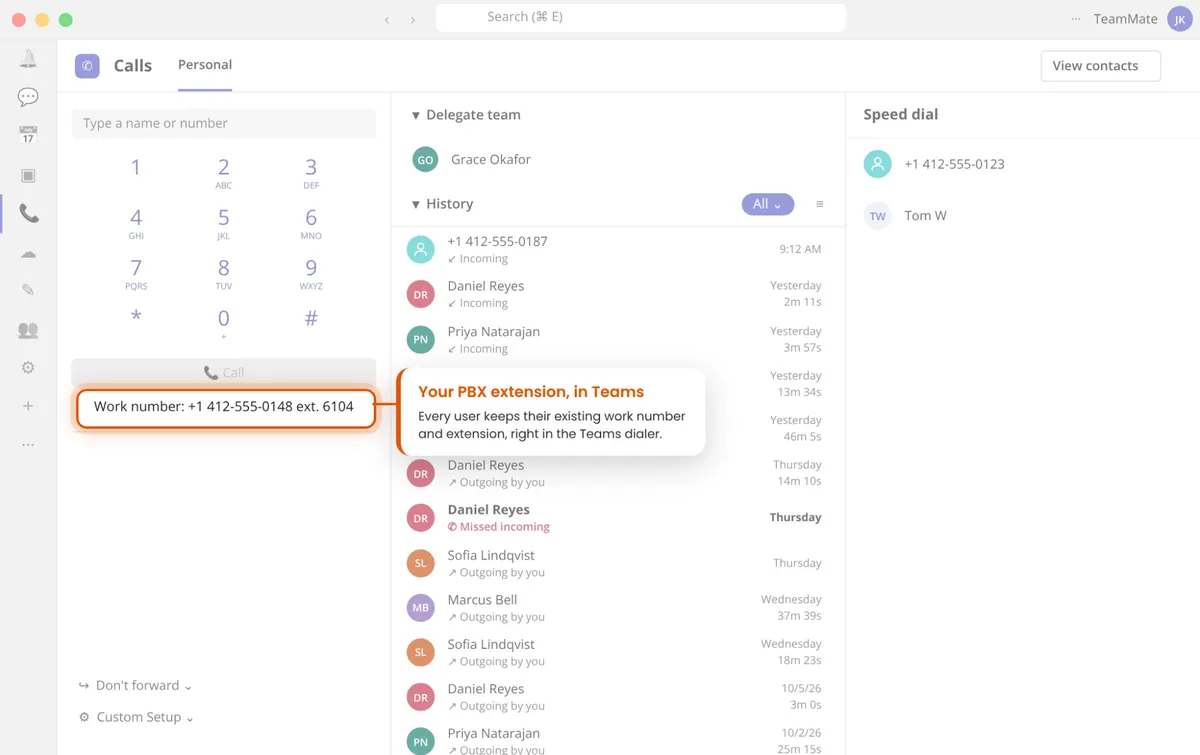
A dial plan rule sends any number of up to 7 digits to your PBX unchanged, so users dial colleagues by extension.
The rule also passes * and #, so PBX feature codes such as voicemail access work from the Teams dial pad.
Configure users with a main number and an extension, so Teams shows the extension properly instead of +11000.
Calls addressed to an extension, or to a main number with an extension, are routed to the right Teams user.
The rule is a standard Teams dial plan normalization rule, so your admin can review or change it in the Teams admin center.
Extension dialing works with the PBX you run, from Mitel and Avaya to 3CX, BroadWorks and NetSapiens.
Set up PBX Connector. TeamMate creates the Direct Routing link and the dial plan rule automatically.
Give each user a phone number, or a pilot number plus extension, matching the PBX.
Users dial extensions and feature codes from the Teams dial pad, and calls go through the PBX.
Yes, with TeamMate PBX Connector. TeamMate adds a Teams dial plan normalization rule that sends any number of up to 7 digits, including * and #, to your PBX unchanged, so users dial extensions as they would from a desk phone.
Teams treats every number as a full international number, so an extension such as 1000 can appear as +11000. Configuring users with a pilot number plus extension fixes this, and is supported for PBX Connector and ACS Call App users.
Yes. The dial plan rule passes star codes and pound signs, so feature codes such as voicemail access reach the PBX.
If the number you dial matches another Teams user’s Teams number, Teams connects the call itself. If you want those calls to go through the PBX, the Teams number can be given a prefix in the TeamMate portal.
Yes. It is a standard normalization rule in the Teams admin center under Voice, Dial plans, so your admin can adjust it to match your PBX dial plan.
Extension dialing works with PBX Connector on the PBXs it supports, 80+ types and variants tested.
Book a live demo, or try it free in a proof of concept.
Free 30-day proof of concept for service providers.