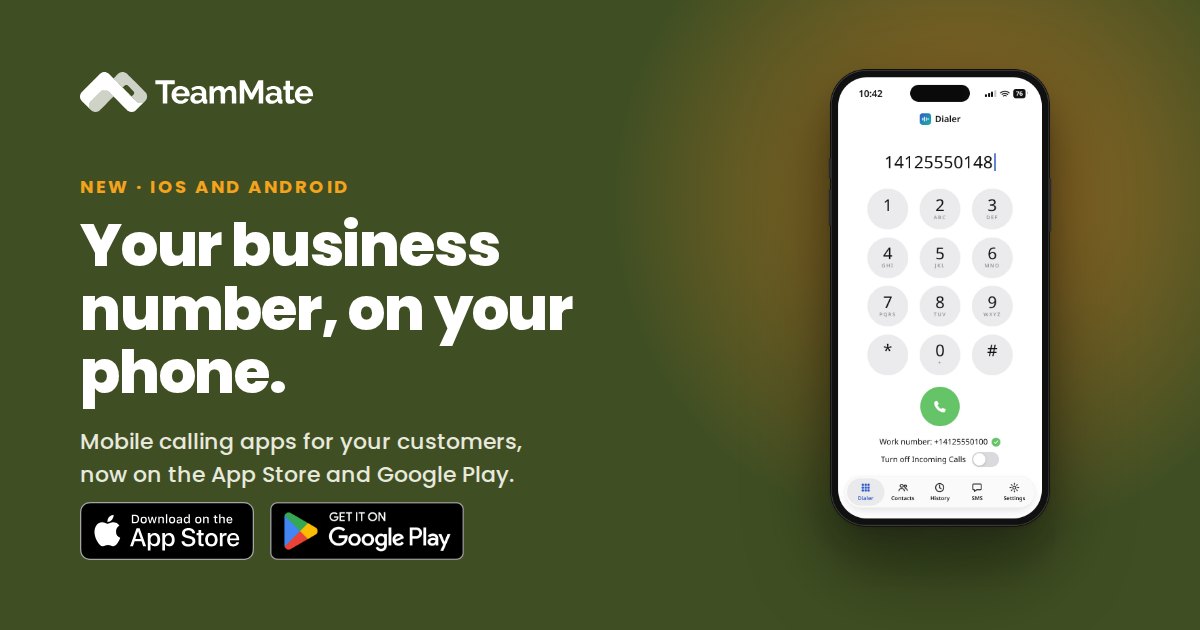
On September 23, our mobile calling apps went live on the Apple App Store and Google Play. Your customers can now make and receive work calls from their iPhone or Android phone, anywhere, on Wi-Fi or mobile data, with their business number as the caller ID.
The apps are the mobile companion to the ACS Call App. They work alongside the Microsoft Teams app on the phone and bring the same calling your customers already use in Teams to the device in their pocket.
What your customers can do
- Sign in with Microsoft 365. Users sign in with their existing Microsoft 365 account, with no separate username or password to manage.
- Call anyone. Place calls to phone numbers, Teams users or people in the company directory.
- Never miss a call. Incoming calls ring with a full-screen alert, even when the phone is locked.
- See history and contacts. Browse recent calls and the organization's directory, and add personal contacts from the call screen.
- Transfer calls. Hand a call to a colleague or an outside number, with a warm or blind transfer.
- Use phone system features. Send feature codes for Do Not Disturb, call forwarding and voicemail.
Built on Microsoft's calling platform
The apps run on Microsoft Azure Communication Services, the infrastructure behind Teams calling. Because users sign in with Microsoft 365, each organization's security policies, including multi-factor sign-in and conditional access, apply automatically.
Like the ACS Call App, the apps don't need a Microsoft Phone System license, Direct Routing or Teams Phone resource accounts.
For service providers
The mobile apps extend the ACS Call App, an add-on to PBX Connector. They give your customers one more reason to keep their calling on your platform: the same business number and phone system features at the desk, in Teams and on the road.
Learn more
To find out how to offer the mobile apps to your customers, contact us at [email protected] or book a demo.